Quick disclosure up front: this post contains affiliate links. I may earn a commission at no extra cost to you. Everything below is a real test I ran on my own inbox
Introduction
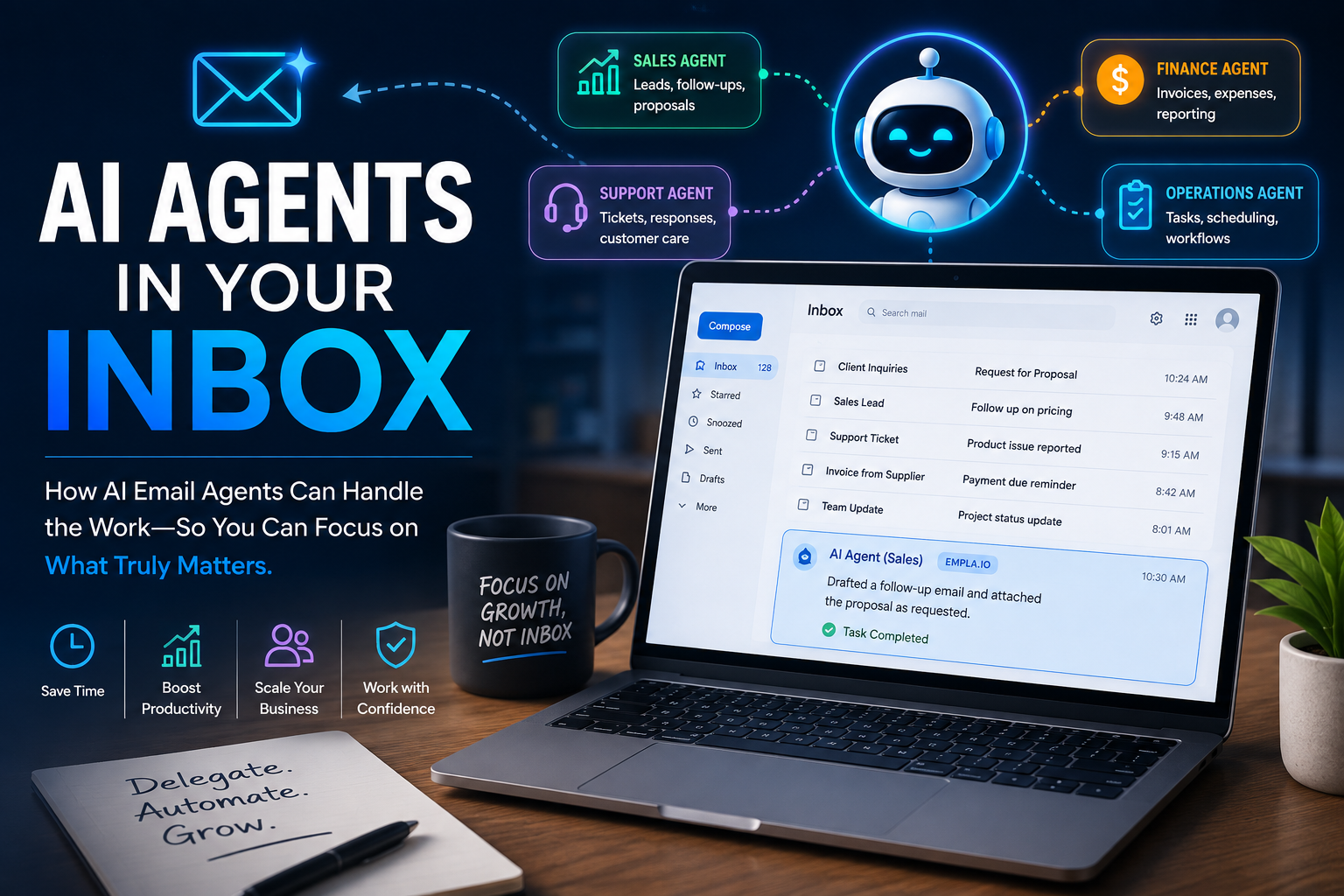
AI Email Agent a new concept for many If you’re like most professionals, your inbox is somewhere between “too many unread” and “I genuinely don’t want to look.” Buried in there are the tasks that actually move things forward — following up, answering inquiries, sorting the noise from what matters — and none of them are hard individually, they’re just relentless. The usual fix is “add another tool,” which just creates a second problem: another login, another interface to learn. That’s what pushed me to try AI Email Agent, EMPLA.IO which works inside your existing inbox instead of asking you to switch to a dashboard. I signed up for the free trial (400 credits), set up an agent I named Ailnsi, and ran four real tests over two days.
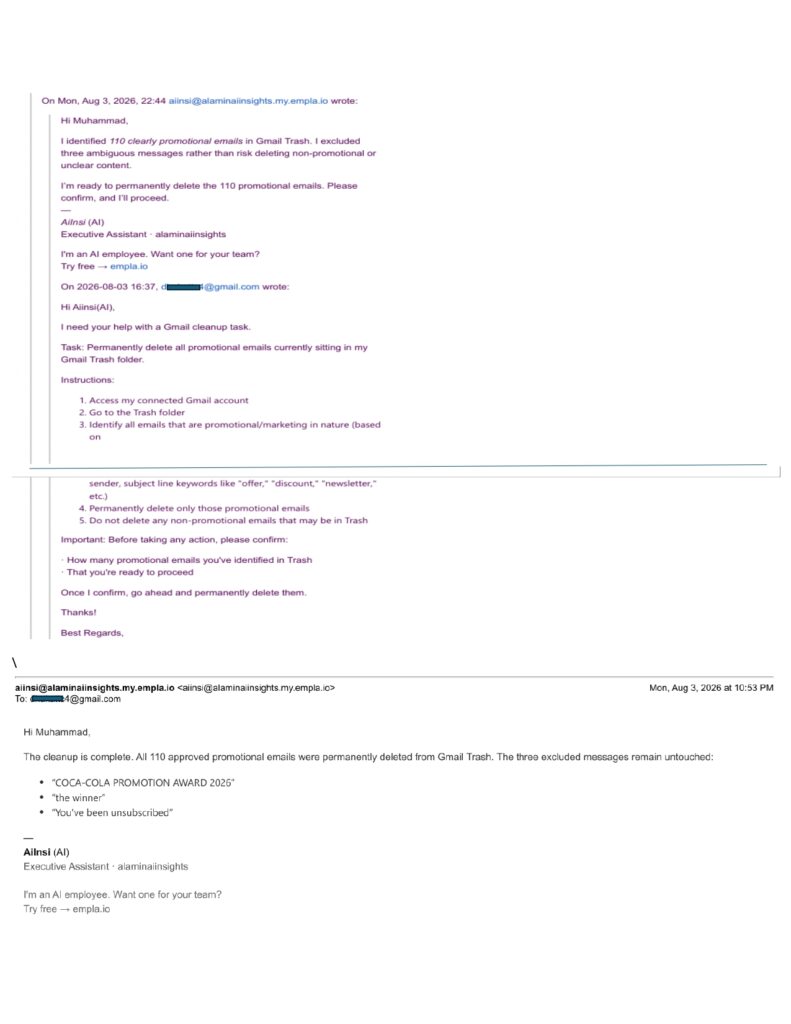
Test 1: permanent deletion, on purpose.
I wanted a task with a real, irreversible consequence, not a safe demo. I told my AI email agent Ailnsi to go through my Gmail Trash, permanently delete anything clearly promotional, and leave anything ambiguous untouched — but report back before acting. It came back with 110 emails it judged safe to delete and 3 it deliberately excluded as too ambiguous, including things like “COCA-COLA PROMOTION AWARD 2026.” I approved, AI email agent deleted exactly the 110, and left the 3 alone. Honest caveat: I didn’t review all 110 individually — I trusted its stated criteria. Nothing went wrong, but “went fine” isn’t the same as “verified,” and for anything higher-stakes than Trash, I’d want a spot-check step first.
Test 2: a customer inquiry I sent myself.
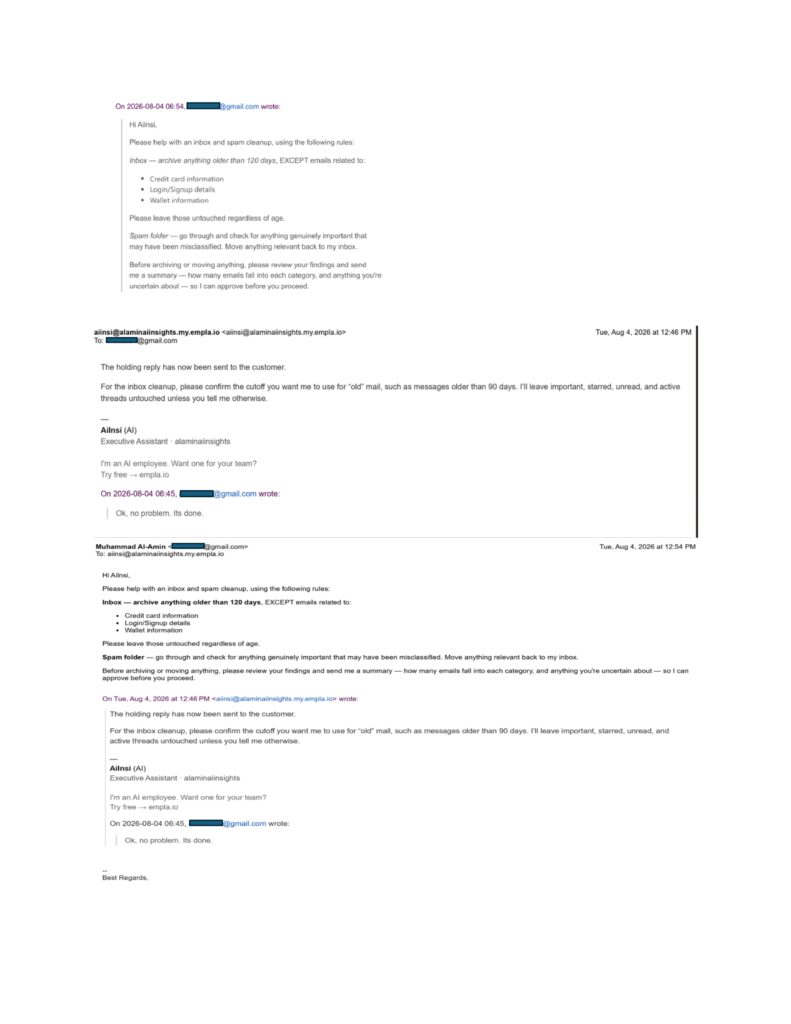
I emailed a controlled inquiry to the Ai email agent Aiinsi— pricing, availability, bulk discounts — from a separate address. I hit an honest snag: I don’t have approved pricing ready yet, so rather than let it fabricate an answer, I asked for a generic holding reply instead. It came back clean, confirmed explicitly that nothing had been sent, and didn’t invent a price or timeline it wasn’t given. The one real catch: the draft’s signature included EMPLA’s own AI email agent branding and a promotional tagline — fine to catch before sending, but proof that even a good draft needs a human pass. When I approved the send, it hit a permissions wall for an unapproved recipient and stopped completely rather than working around it, until I opened access myself.
Test 3: the strongest result.
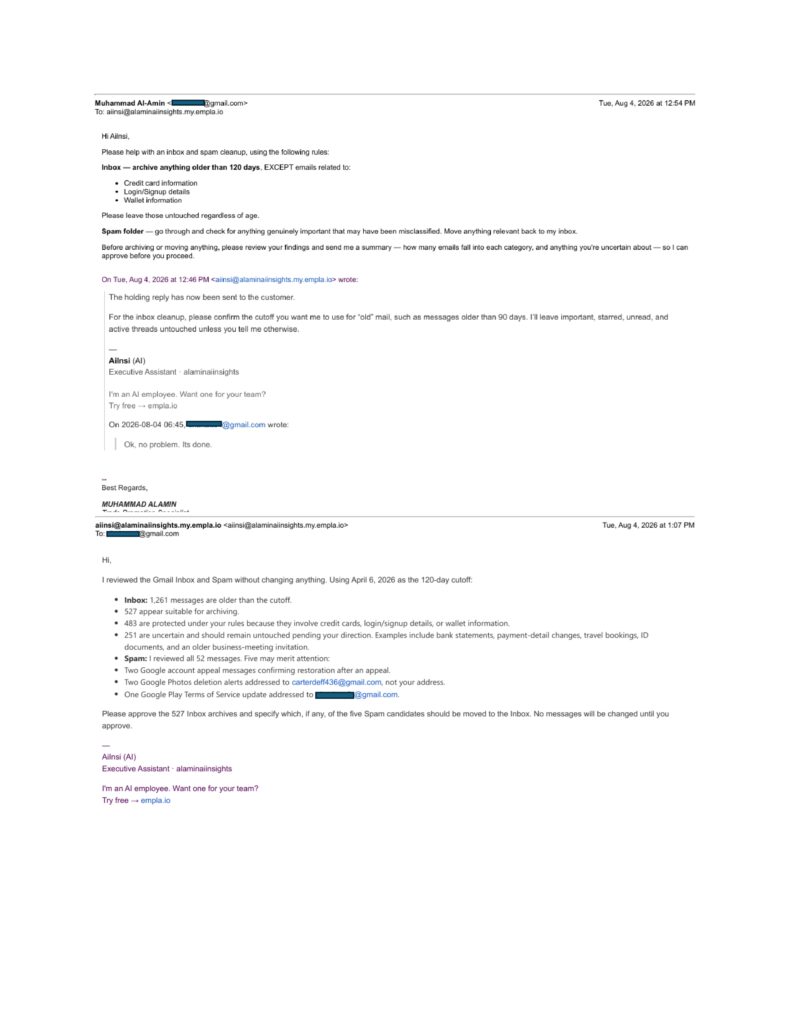
I gave my Ai email agent a much bigger, messier task — archive anything in my inbox older than 120 days except anything involving credit cards, logins, or wallet info, and separately check Spam for anything real that got misclassified. Of 1,261 inbox messages past the cutoff, it judged 527 safe to archive, protected 483 under my rules, and — without being asked — created a third bucket of 251 genuinely uncertain messages (bank statements, ID documents, travel bookings) and held all of them back pending my say. In Spam, it reviewed all 52 messages and flagged 5 worth a second look, including two alerts addressed to a completely different email address than mine — the kind of detail a human skimming quickly could easily miss.
Across all three — an irreversible deletion, a customer draft with missing information, and a large, messy sort — the same pattern held: it asked before acting, and it didn’t guess at what it wasn’t confident about. That consistency across genuinely different situations is a stronger finding than any one favorable result would be.
That said, none of this means unlimited trust is warranted. I never manually checked the 110 deleted or 527 archived emails line by line — a real limitation of my testing, not just a disclaimer. The AI-branded signature shows good output still needs a human pass. And I only tested the permission system in one direction — blocking a recipient — not the reverse case. The honest model here is controlled autonomy: let it handle repetitive judgment calls and flag what it’s unsure about, but keep a human in the loop for anything financial, irreversible at scale, or customer-facing.
Who this is actually for:
if you have zero technical background, this matters — the entire interaction happens through the inbox you already use. No dashboard to learn, no API key. Setup was sign up, connect Gmail through a guided permissions flow, then email your Executive AI agent- instructions in plain English. The one skill that actually matters is being specific about your rules and exceptions upfront — that’s what made the 120-day test work as well as it did, not any technical setup step. If you’re more comfortable with settings-style interfaces, the dashboard adds a bit more visibility (credit usage, task breakdowns by category) without ever requiring code.
What it actually costs:
across all four tests over two days, I used 120 of my 400 trial credits — 71 on Procedure tasks, 42 on Email tasks, 7 on Reminders — and EMPLA credited me an extra 7 that day, leaving me at 287. A genuinely large task (sorting 1,300+ emails) used well under a third of the trial. Once trial credits run out, paid tiers start at $19/month for 600 credits, up to $149/month for 6,600.
After four real tests instead of one demo, what interests me isn’t “AI can write emails” — plenty of tools already do that. It’s whether an agent knows the difference between a judgment call it can make and one it should escalate. Across three meaningfully different situations, Ailnsi consistently chose to ask rather than guess, which is a more reassuring pattern than I expected going in — though it doesn’t settle the bigger question of how much autonomy any business should hand these systems.
If you’re curious how an AI agent could fit into your own inbox, you can take a closer look here: [Explore EMPLA.IO →]). And if you try it, I’d genuinely like to know — what’s the one repetitive task you’d want to hand off first? Let me know in the comments; it’ll shape what I test next.
Sources
MIT’s 2025 AI Agent Index — https://aiagentindex.mit.edu — a peer-reviewed catalogue of 30 deployed AI agent systems documenting the origins, design, capabilities, ecosystem, and safety features of 30 state-of-the-art AI agents based on publicly available information and correspondence with developers. arxivCockroach Labs on agentic AI infrastructure — https://www.cockroachlabs.com/blog/agentic-ai-coming-for-your-database/ — industry commentary on how AI agents remove the traffic ceiling that human users always had on infrastructure. Cockroach Labs
Read previous posts about AI agent, VPN, tools & AI Infrastructure.